Box Method Multiplication Worksheets
Box method worksheets, also called the area model, with an answer key. Each factor is split by place value along the edges of a grid, and every cell holds one part-product. Add the cells and you have the answer — the same partial products the traditional algorithm writes under the rule, laid out where you can see what each one is.
Box method multiplication. Split each factor by place value and fill the grid.
Customize this worksheet
Title and instructions
The page
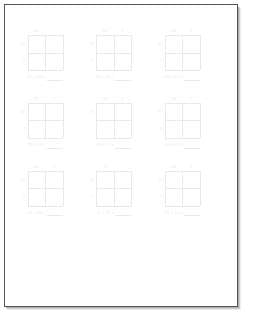
Box method multiplication · 2 by 2 digits · 9 problems · with answer key · name line · border · logo
Print at 100% or Actual size — not “Fit to page”, which shrinks the sheet and makes the measurements wrong.
Box Method and Area Model Are the Same Thing
Two names for one worksheet. "Area model" comes from the picture: a rectangle 23 units by 45 units, cut into four smaller rectangles whose areas are 800, 120, 100 and 15. "Box method" is the same grid without the claim that it is drawn to scale. A classroom that says one will recognise the other, so this page serves both.
Why Teach It Before the Standard Algorithm
The traditional algorithm is faster, and it hides what it is doing. A student who writes 180 under 18 × 11 is multiplying by ten and may not know it. The grid makes every part-product visible and labelled: the row is 10, the column is 18, the cell is 180. Nothing is carried, nothing is shifted, and nothing has to be taken on trust.
It is also where a wrong answer becomes findable. A missing carry in the standard algorithm looks like a wrong digit; a wrong cell in the grid looks like one wrong multiplication.
Where to Go Next
Once the grid is secure, move to multiple digit multiplication, which uses the same partial products in the stacked form. Lattice multiplication is a third arrangement of the same arithmetic, and some students take to it when neither of the others has stuck. For the facts underneath all of it, see multiplication worksheets.
Print at 100% or Actual Size rather than "Fit to Page".

Copyright 2008-2026 DadsWorksheets, LLC
As an Amazon Associate, I earn from qualifying purchases.

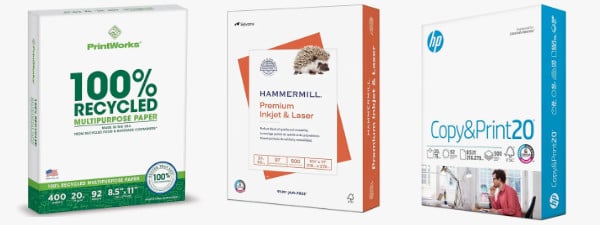

- Copy paper
- #2 pencils
- Big pink erasers